%22%20fill%3D%22rgb(0%2C0%2C0)%22%20d%3D%22M%201708.71%2032.0719%20L%201711.17%2032.1726%20L%201711.48%2033.8726%20C%201698.63%2068.7557%201678.15%20111.062%201663.25%20146.038%20L%201610.27%20270.222%20C%201600.68%20293.044%201548.56%20422.248%201540.04%20431.57%20C%201533.67%20438.547%201128.18%20599.98%201082.51%20618.503%20L%20896.13%20695.087%20C%20861.529%20708.971%20827.042%20723.139%20792.674%20737.591%20C%20773.372%20745.745%20749.086%20754.449%20732.134%20766.537%20C%20692.666%20794.684%20697.752%20841.911%20698.601%20884.356%20C%20699.702%20939.367%20740.841%20953.958%20782.454%20976.677%20L%20861.67%201020.18%20L%201099.89%201152.37%20C%201107.22%201156.5%201119.88%201164.35%201127.14%201167.58%20C%201169.86%201186.61%201146.74%201195.41%201117.9%201208.29%20C%201100.37%201216.11%201079.03%201225.42%201060.64%201233.58%20C%201010.18%201256.26%20959.538%201278.54%20908.726%201300.43%20C%20894.529%201306.71%20881.754%201312.22%20867.258%201317.69%20C%20862.804%201316.04%20858.4%201314.27%20854.051%201312.36%20C%20836.181%201304.32%20811.094%201289.47%20793.048%201279.86%20L%20667.457%201213.33%20L%20559.157%201156.4%20C%20524.558%201137.94%20487.124%201123.47%20472.687%201083.79%20C%20469.558%201074.97%20467.621%201065.77%20466.927%201056.43%20C%20465.765%201038.59%20466.66%201011.98%20466.668%20993.332%20L%20466.359%20873.615%20C%20465.984%20815.652%20463.947%20757.728%20465.485%20699.747%20C%20465.795%20688.052%20466.054%20675.662%20467.175%20664.054%20C%20469.31%20640.858%20475.406%20618.2%20485.2%20597.064%20C%20517.254%20527.676%20568.707%20508.151%20633.929%20480.324%20L%20726.507%20441.167%20L%201040.13%20310.018%20L%201452.31%20137.782%20L%201616.93%2069.4204%20C%201646.93%2057.0612%201678.5%2043.152%201708.71%2032.0719%20z%22%2F%3E%0D%0A%3Cpath%20transform%3D%22translate(0%2C0)%22%20fill%3D%22rgb(0%2C0%2C0)%22%20d%3D%22M%201180.36%20731.182%20C%201195.24%20733.945%201233.7%20756.876%201248.98%20765.026%20L%201364.16%20826.126%20L%201484.37%20889.381%20C%201498.57%20896.955%201532.42%20914.303%201544.52%20923.261%20C%201557.39%20932.823%201567.44%20945.681%201573.6%20960.477%20C%201577.74%20970.613%201580.28%20981.333%201581.12%20992.25%20C%201582.2%201006.88%201581.3%201032.21%201581.31%201047.95%20L%201581.63%201160.97%20C%201582.26%201211.62%201582.57%201262.29%201582.57%201312.95%20C%201582.44%201333.48%201582.84%201362.18%201581%201382.38%20C%201579.14%201403.66%201573.97%201424.53%201565.69%201444.23%20C%201551.08%201479.78%201525.53%201509.75%201492.74%201529.79%20C%201460.17%201549.9%201412.55%201568.06%201376.2%201583.68%20C%201297.89%201617.01%201219.4%201649.9%201140.72%201682.34%20L%20334.313%202018.15%20C%20339.936%202006.05%20344.516%201995.06%20349.5%201982.67%20C%20380.898%201908.42%20413.985%201834.57%20445.11%201760.02%20C%20459.052%201725.94%20473.375%201692.02%20488.076%201658.26%20C%20492.996%201647.05%20502.305%201624.37%20508.527%201614.93%20C%20525.371%201606.59%20557.563%201594.41%20575.732%201586.98%20L%20705.864%201534%20C%20845.58%201478.27%20984.961%201421.71%201124%201364.32%20L%201246.78%201313.94%20C%201290.4%201295.55%201343.27%201280.12%201348.5%201224.17%20C%201350.49%201202.85%201351.54%201164.6%201346.69%201143.96%20C%201344.6%201134.87%201340.77%201126.27%201335.41%201118.63%20C%201321.45%201099.1%201289.07%201084.29%201267.79%201072.67%20L%201188.51%201029.14%20L%20997.495%20923.267%20L%20933.233%20887.54%20C%20924.86%20882.894%20890.238%20867.795%20898.045%20858.391%20C%20907.874%20846.549%20953.243%20829.416%20967.235%20823.263%20L%201064.01%20780.291%20C%201087.5%20769.837%201111.05%20759.524%201134.65%20749.351%20C%201147.99%20743.555%201166.91%20734.741%201180.36%20731.182%20z%22%2F%3E%0D%0A%3C%2Fsvg%3E)
%22%20fill%3D%22rgb(255%2C255%2C255)%22%20d%3D%22M%201708.71%2032.0719%20L%201711.17%2032.1726%20L%201711.48%2033.8726%20C%201698.63%2068.7557%201678.15%20111.062%201663.25%20146.038%20L%201610.27%20270.222%20C%201600.68%20293.044%201548.56%20422.248%201540.04%20431.57%20C%201533.67%20438.547%201128.18%20599.98%201082.51%20618.503%20L%20896.13%20695.087%20C%20861.529%20708.971%20827.042%20723.139%20792.674%20737.591%20C%20773.372%20745.745%20749.086%20754.449%20732.134%20766.537%20C%20692.666%20794.684%20697.752%20841.911%20698.601%20884.356%20C%20699.702%20939.367%20740.841%20953.958%20782.454%20976.677%20L%20861.67%201020.18%20L%201099.89%201152.37%20C%201107.22%201156.5%201119.88%201164.35%201127.14%201167.58%20C%201169.86%201186.61%201146.74%201195.41%201117.9%201208.29%20C%201100.37%201216.11%201079.03%201225.42%201060.64%201233.58%20C%201010.18%201256.26%20959.538%201278.54%20908.726%201300.43%20C%20894.529%201306.71%20881.754%201312.22%20867.258%201317.69%20C%20862.804%201316.04%20858.4%201314.27%20854.051%201312.36%20C%20836.181%201304.32%20811.094%201289.47%20793.048%201279.86%20L%20667.457%201213.33%20L%20559.157%201156.4%20C%20524.558%201137.94%20487.124%201123.47%20472.687%201083.79%20C%20469.558%201074.97%20467.621%201065.77%20466.927%201056.43%20C%20465.765%201038.59%20466.66%201011.98%20466.668%20993.332%20L%20466.359%20873.615%20C%20465.984%20815.652%20463.947%20757.728%20465.485%20699.747%20C%20465.795%20688.052%20466.054%20675.662%20467.175%20664.054%20C%20469.31%20640.858%20475.406%20618.2%20485.2%20597.064%20C%20517.254%20527.676%20568.707%20508.151%20633.929%20480.324%20L%20726.507%20441.167%20L%201040.13%20310.018%20L%201452.31%20137.782%20L%201616.93%2069.4204%20C%201646.93%2057.0612%201678.5%2043.152%201708.71%2032.0719%20z%22%2F%3E%0D%0A%3Cpath%20transform%3D%22translate(0%2C0)%22%20fill%3D%22rgb(255%2C255%2C255)%22%20d%3D%22M%201180.36%20731.182%20C%201195.24%20733.945%201233.7%20756.876%201248.98%20765.026%20L%201364.16%20826.126%20L%201484.37%20889.381%20C%201498.57%20896.955%201532.42%20914.303%201544.52%20923.261%20C%201557.39%20932.823%201567.44%20945.681%201573.6%20960.477%20C%201577.74%20970.613%201580.28%20981.333%201581.12%20992.25%20C%201582.2%201006.88%201581.3%201032.21%201581.31%201047.95%20L%201581.63%201160.97%20C%201582.26%201211.62%201582.57%201262.29%201582.57%201312.95%20C%201582.44%201333.48%201582.84%201362.18%201581%201382.38%20C%201579.14%201403.66%201573.97%201424.53%201565.69%201444.23%20C%201551.08%201479.78%201525.53%201509.75%201492.74%201529.79%20C%201460.17%201549.9%201412.55%201568.06%201376.2%201583.68%20C%201297.89%201617.01%201219.4%201649.9%201140.72%201682.34%20L%20334.313%202018.15%20C%20339.936%202006.05%20344.516%201995.06%20349.5%201982.67%20C%20380.898%201908.42%20413.985%201834.57%20445.11%201760.02%20C%20459.052%201725.94%20473.375%201692.02%20488.076%201658.26%20C%20492.996%201647.05%20502.305%201624.37%20508.527%201614.93%20C%20525.371%201606.59%20557.563%201594.41%20575.732%201586.98%20L%20705.864%201534%20C%20845.58%201478.27%20984.961%201421.71%201124%201364.32%20L%201246.78%201313.94%20C%201290.4%201295.55%201343.27%201280.12%201348.5%201224.17%20C%201350.49%201202.85%201351.54%201164.6%201346.69%201143.96%20C%201344.6%201134.87%201340.77%201126.27%201335.41%201118.63%20C%201321.45%201099.1%201289.07%201084.29%201267.79%201072.67%20L%201188.51%201029.14%20L%20997.495%20923.267%20L%20933.233%20887.54%20C%20924.86%20882.894%20890.238%20867.795%20898.045%20858.391%20C%20907.874%20846.549%20953.243%20829.416%20967.235%20823.263%20L%201064.01%20780.291%20C%201087.5%20769.837%201111.05%20759.524%201134.65%20749.351%20C%201147.99%20743.555%201166.91%20734.741%201180.36%20731.182%20z%22%2F%3E%0D%0A%3C%2Fsvg%3E)

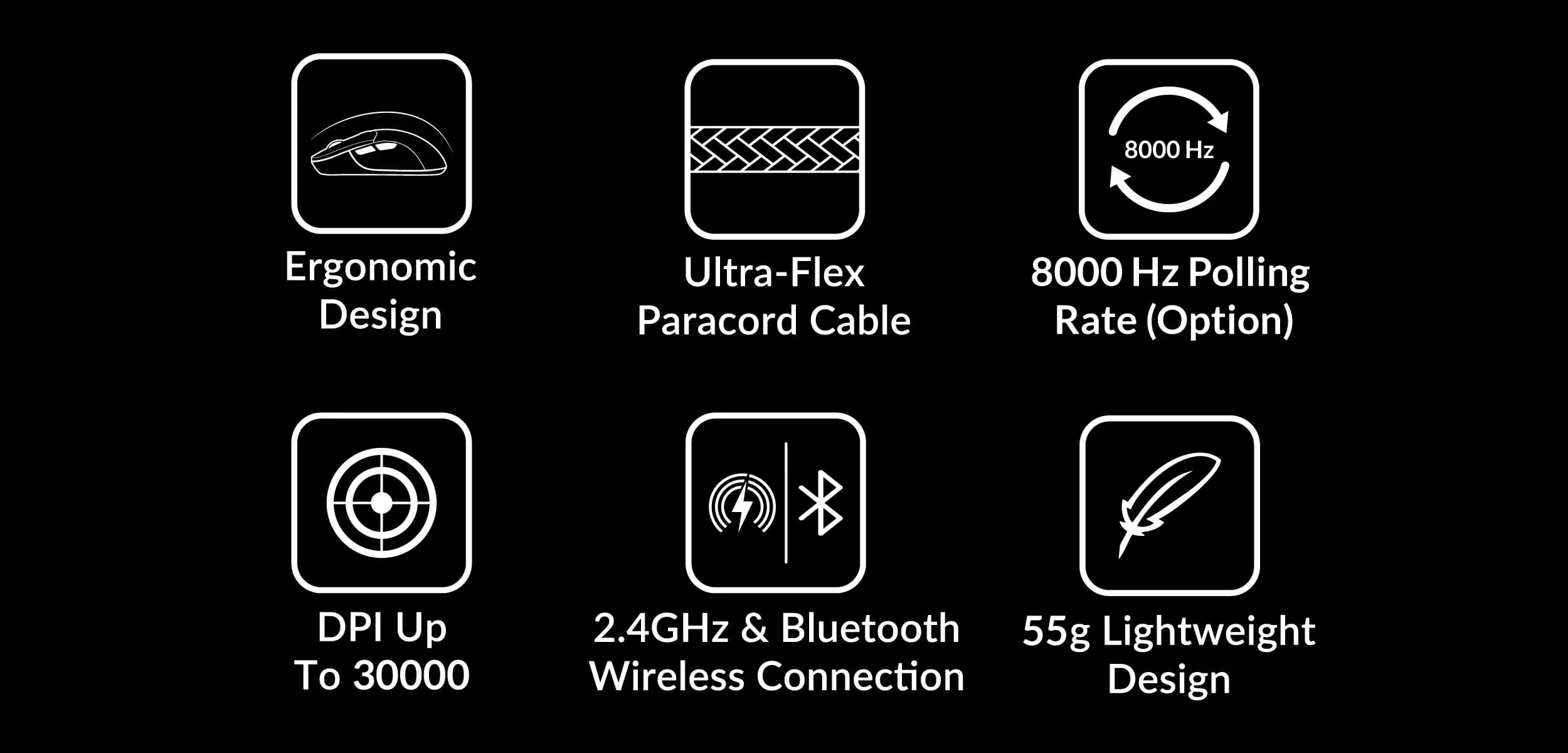
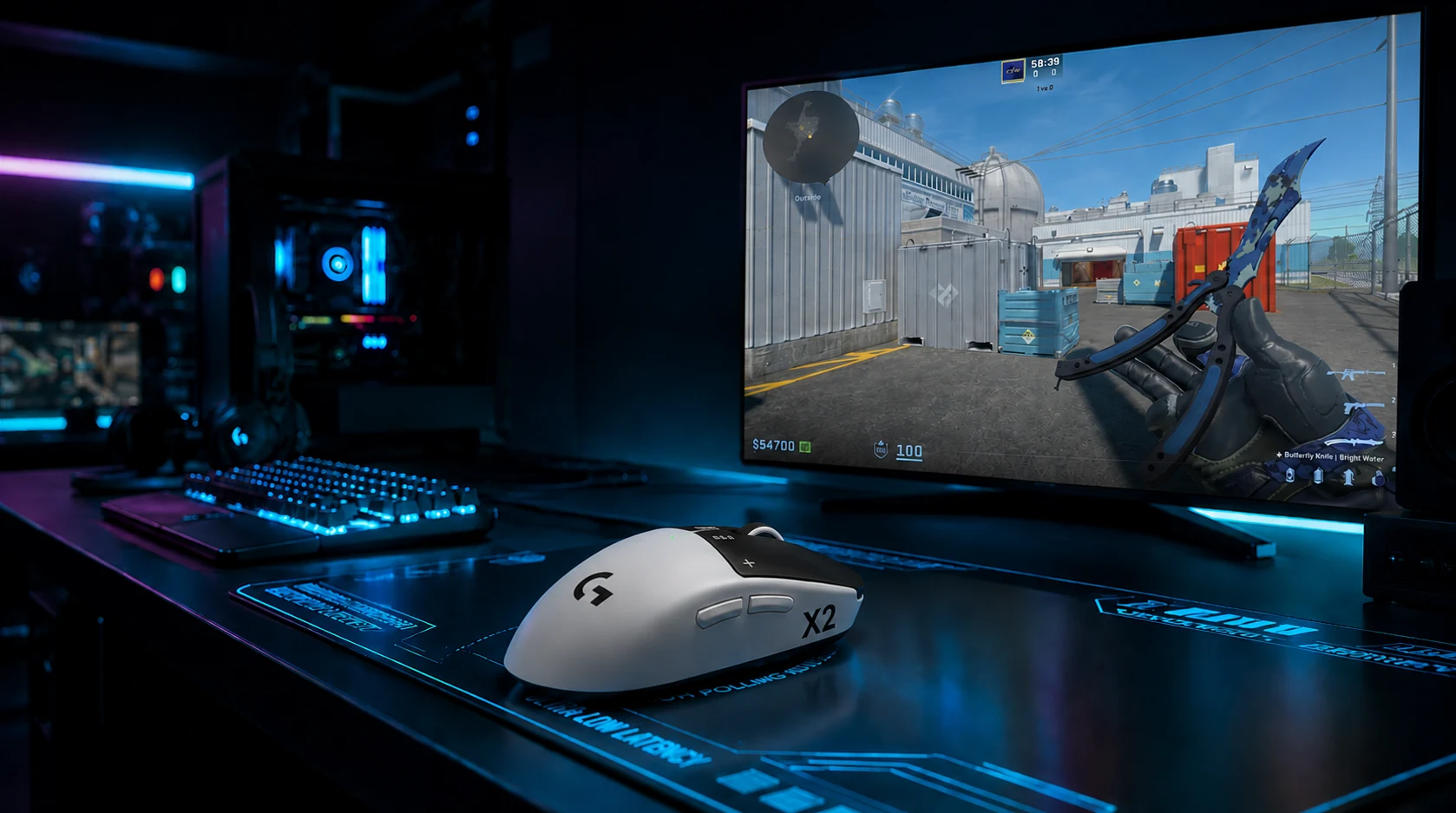
The hertz war has moved from monitors to peripherals. While 1000 Hz was the gold standard for gaming mice and keyboards for over a decade, manufacturers are now racing to offer 8000 Hz. On paper, it sounds like an unbeatable competitive advantage. In reality, however, the situation is not that simple, and chasing numbers can sometimes do more harm than good.
For average gamers, these specifications often sound like pure marketing hype. In this guide, we break down the topic into simple terms: without technical jargon, we explain what polling rate is, how 1000 Hz compares to 8000 Hz in real matches, whether you can actually feel the difference, and the hidden costs of running high-frequency gear.
What is polling rate? A simple explanation
Polling rate (reporting rate) defines how many times per second your mouse or keyboard sends information about its status (like movements, clicks, or keypresses) to your computer. This frequency is measured in Hertz (Hz).
- 1000 Hz: The device reports its status 1000 times per second (once every 1 millisecond).
- 8000 Hz: The device reports its status 8000 times per second (once every 0.125 milliseconds, or 1/8th of a millisecond).
In theory, reporting the position of your cursor eight times more frequently should lead to perfectly smooth mouse movements and instantaneous click registration. But how does this play out in everyday gaming sessions?
How does it work at the hardware level?
For a device to reliably support an 8000 Hz reporting rate, it requires a highly powerful microcontroller (MCU) and an advanced optical sensor (such as the PixArt PAW3395 or the newer PAW3950). Traditional gaming mice relied on basic, low-cost chips. The transition to 8000 Hz has forced manufacturers to implement high-performance MCUs, such as those from Nordic Semiconductor (like the nRF52840), which can process coordinates and clicks in a fraction of a millisecond.
In wireless mice, signal stability is another major obstacle. A receiver (dongle) working at 8000 Hz has to handle a massive stream of incoming data packets while remaining immune to interference from home Wi-Fi routers and nearby mobile phones.
Magnetic keyboards: polling rate vs. internal scan rate
It is important to differentiate how high polling rates impact mice versus keyboards. On keyboards (especially those equipped with magnetic switches utilizing the Hall Effect or TMR sensors), the critical metric is not just how fast the device reports to the PC, but how fast it scans the analog position of the switch (known as the scan rate).
When you enable **Rapid Trigger** (instant key reset upon lifting your finger), the keyboard needs to constantly track the exact physical position of the magnet. Combining an internal scan rate of 8000 Hz with an 8000 Hz USB reporting rate ensures that keypress releases and inputs are registered almost instantaneously. In games like CS2, this allows for immediate counter-strafing, making your movement incredibly responsive.
1000 Hz vs 8000 Hz: Where is the actual difference?
The main benefit of 8000 Hz is the reduction of input lag. At 1000 Hz, the maximum delay caused by reporting intervals is 1 ms. At 8000 Hz, that delay drops to just 0.125 ms. The mathematical gain is exactly 0.875 milliseconds.
Another factor is cursor smoothness on high-refresh-rate monitors. If you play on a 360 Hz or 540 Hz display, a cursor running at 1000 Hz might look slightly micro-stuttery. This happens because the screen updates so fast that the gaps between mouse reports become visible. At 8000 Hz, the cursor trail is perfectly continuous and smooth.
Can an average player actually feel the difference?
The short answer is: **in 95% of cases, no**. For the average gamer, the difference between 1000 Hz and 8000 Hz is virtually undetectable in a blind test. Here is why:
- Human limits: A difference of 0.8 milliseconds is far below the threshold of human reaction time and conscious perception.
- Monitor refresh rate: If you are gaming on a standard 144 Hz or even 240 Hz monitor, your screen cannot display frames quickly enough to show the increased precision of the mouse path.
- Network latency: In online multiplayer, server delays (ping) and game tickrates (e.g., 64 or 128 tickrate in CS2) have a much greater impact on hit registration than a fraction of a millisecond saved on your local mouse input.
The only people who might genuinely benefit are **professional esports players** playing on 360 Hz, 540 Hz, or faster monitors in LAN environments, who have highly trained muscle memory that is extremely sensitive to tiny changes in responsiveness.
The dark side of 8000 Hz: Hidden costs
While manufacturers put the "8000 Hz" badge on their boxes, they rarely mention the performance compromises it demands:
CPU performance warning! Sending 8000 reports per second puts an immense load on your computer's CPU. On budget or older processors, enabling 8000 Hz in competitive games like CS2 or Valorant can cause sudden framerate drops (micro-stuttering) and lower overall FPS. In these situations, the feature actually harms your gaming experience.
- Severe battery drain: For wireless mice, 8000 Hz consumes battery life rapidly. A mouse that lasts 70-80 hours at 1000 Hz will often run out of charge in just 10-15 hours when set to 8000 Hz.
- Game compatibility: Some older game engines are overwhelmed by the high volume of input data, resulting in screen judder or ignored inputs.
Examples of devices supporting 8000 Hz
You can find several interesting high-end devices on the market that offer native support for 8000 Hz. Here are some of the most popular and recommended models:
Razer Viper V3 Pro (wireless mouse): Supports full 8000 Hz wirelessly thanks to HyperPolling technology. PixArt PAW3950 sensor ensures absolute tracking precision.
Logitech G Pro X Superlight 2 (wireless mouse): Following a firmware update, it seamlessly operates at 8000 Hz via its LIGHTSPEED wireless receiver.
Keychron M3 Mini 8K (wireless mouse): One of the most cost-effective wireless mice on the market supporting 8000 Hz out of the box.
Wooting 60HE v2 (magnetic keyboard): Offers 8000 Hz polling rate via wired USB-C connection, matching its rapid trigger functionality with near-zero latency.
Keychron Q1 HE (magnetic keyboard): A premium aluminum mechanical keyboard supporting 8000 Hz in wired mode alongside extensive analog customization.
Razer Huntsman V3 Pro (analog-optical keyboard): An esports-oriented keyboard with full 8000 Hz polling rate and near-instant optical switches response times.
Summary – what should you choose?
8000 Hz polling rate is an impressive technological feat, but for the average player, it is an unnecessary luxury. **1000 Hz** remains the safe and optimal standard, providing complete stability, minimal CPU usage, and long wireless battery life.
If you own a premium mouse and a modern high-end CPU, feel free to experiment. However, setting your gear to a middle ground of **2000 Hz or 4000 Hz** is often the best compromise, providing the visual smoothness on fast displays without killing your battery or choking your processor.
Comments
Discussion
Join the conversation around this story.
Join the discussion
Sign in to comment and reply to other readers.
Sign inNo comments yet
Start the discussion first.