%22%20fill%3D%22rgb(0%2C0%2C0)%22%20d%3D%22M%201708.71%2032.0719%20L%201711.17%2032.1726%20L%201711.48%2033.8726%20C%201698.63%2068.7557%201678.15%20111.062%201663.25%20146.038%20L%201610.27%20270.222%20C%201600.68%20293.044%201548.56%20422.248%201540.04%20431.57%20C%201533.67%20438.547%201128.18%20599.98%201082.51%20618.503%20L%20896.13%20695.087%20C%20861.529%20708.971%20827.042%20723.139%20792.674%20737.591%20C%20773.372%20745.745%20749.086%20754.449%20732.134%20766.537%20C%20692.666%20794.684%20697.752%20841.911%20698.601%20884.356%20C%20699.702%20939.367%20740.841%20953.958%20782.454%20976.677%20L%20861.67%201020.18%20L%201099.89%201152.37%20C%201107.22%201156.5%201119.88%201164.35%201127.14%201167.58%20C%201169.86%201186.61%201146.74%201195.41%201117.9%201208.29%20C%201100.37%201216.11%201079.03%201225.42%201060.64%201233.58%20C%201010.18%201256.26%20959.538%201278.54%20908.726%201300.43%20C%20894.529%201306.71%20881.754%201312.22%20867.258%201317.69%20C%20862.804%201316.04%20858.4%201314.27%20854.051%201312.36%20C%20836.181%201304.32%20811.094%201289.47%20793.048%201279.86%20L%20667.457%201213.33%20L%20559.157%201156.4%20C%20524.558%201137.94%20487.124%201123.47%20472.687%201083.79%20C%20469.558%201074.97%20467.621%201065.77%20466.927%201056.43%20C%20465.765%201038.59%20466.66%201011.98%20466.668%20993.332%20L%20466.359%20873.615%20C%20465.984%20815.652%20463.947%20757.728%20465.485%20699.747%20C%20465.795%20688.052%20466.054%20675.662%20467.175%20664.054%20C%20469.31%20640.858%20475.406%20618.2%20485.2%20597.064%20C%20517.254%20527.676%20568.707%20508.151%20633.929%20480.324%20L%20726.507%20441.167%20L%201040.13%20310.018%20L%201452.31%20137.782%20L%201616.93%2069.4204%20C%201646.93%2057.0612%201678.5%2043.152%201708.71%2032.0719%20z%22%2F%3E%0D%0A%3Cpath%20transform%3D%22translate(0%2C0)%22%20fill%3D%22rgb(0%2C0%2C0)%22%20d%3D%22M%201180.36%20731.182%20C%201195.24%20733.945%201233.7%20756.876%201248.98%20765.026%20L%201364.16%20826.126%20L%201484.37%20889.381%20C%201498.57%20896.955%201532.42%20914.303%201544.52%20923.261%20C%201557.39%20932.823%201567.44%20945.681%201573.6%20960.477%20C%201577.74%20970.613%201580.28%20981.333%201581.12%20992.25%20C%201582.2%201006.88%201581.3%201032.21%201581.31%201047.95%20L%201581.63%201160.97%20C%201582.26%201211.62%201582.57%201262.29%201582.57%201312.95%20C%201582.44%201333.48%201582.84%201362.18%201581%201382.38%20C%201579.14%201403.66%201573.97%201424.53%201565.69%201444.23%20C%201551.08%201479.78%201525.53%201509.75%201492.74%201529.79%20C%201460.17%201549.9%201412.55%201568.06%201376.2%201583.68%20C%201297.89%201617.01%201219.4%201649.9%201140.72%201682.34%20L%20334.313%202018.15%20C%20339.936%202006.05%20344.516%201995.06%20349.5%201982.67%20C%20380.898%201908.42%20413.985%201834.57%20445.11%201760.02%20C%20459.052%201725.94%20473.375%201692.02%20488.076%201658.26%20C%20492.996%201647.05%20502.305%201624.37%20508.527%201614.93%20C%20525.371%201606.59%20557.563%201594.41%20575.732%201586.98%20L%20705.864%201534%20C%20845.58%201478.27%20984.961%201421.71%201124%201364.32%20L%201246.78%201313.94%20C%201290.4%201295.55%201343.27%201280.12%201348.5%201224.17%20C%201350.49%201202.85%201351.54%201164.6%201346.69%201143.96%20C%201344.6%201134.87%201340.77%201126.27%201335.41%201118.63%20C%201321.45%201099.1%201289.07%201084.29%201267.79%201072.67%20L%201188.51%201029.14%20L%20997.495%20923.267%20L%20933.233%20887.54%20C%20924.86%20882.894%20890.238%20867.795%20898.045%20858.391%20C%20907.874%20846.549%20953.243%20829.416%20967.235%20823.263%20L%201064.01%20780.291%20C%201087.5%20769.837%201111.05%20759.524%201134.65%20749.351%20C%201147.99%20743.555%201166.91%20734.741%201180.36%20731.182%20z%22%2F%3E%0D%0A%3C%2Fsvg%3E)
%22%20fill%3D%22rgb(255%2C255%2C255)%22%20d%3D%22M%201708.71%2032.0719%20L%201711.17%2032.1726%20L%201711.48%2033.8726%20C%201698.63%2068.7557%201678.15%20111.062%201663.25%20146.038%20L%201610.27%20270.222%20C%201600.68%20293.044%201548.56%20422.248%201540.04%20431.57%20C%201533.67%20438.547%201128.18%20599.98%201082.51%20618.503%20L%20896.13%20695.087%20C%20861.529%20708.971%20827.042%20723.139%20792.674%20737.591%20C%20773.372%20745.745%20749.086%20754.449%20732.134%20766.537%20C%20692.666%20794.684%20697.752%20841.911%20698.601%20884.356%20C%20699.702%20939.367%20740.841%20953.958%20782.454%20976.677%20L%20861.67%201020.18%20L%201099.89%201152.37%20C%201107.22%201156.5%201119.88%201164.35%201127.14%201167.58%20C%201169.86%201186.61%201146.74%201195.41%201117.9%201208.29%20C%201100.37%201216.11%201079.03%201225.42%201060.64%201233.58%20C%201010.18%201256.26%20959.538%201278.54%20908.726%201300.43%20C%20894.529%201306.71%20881.754%201312.22%20867.258%201317.69%20C%20862.804%201316.04%20858.4%201314.27%20854.051%201312.36%20C%20836.181%201304.32%20811.094%201289.47%20793.048%201279.86%20L%20667.457%201213.33%20L%20559.157%201156.4%20C%20524.558%201137.94%20487.124%201123.47%20472.687%201083.79%20C%20469.558%201074.97%20467.621%201065.77%20466.927%201056.43%20C%20465.765%201038.59%20466.66%201011.98%20466.668%20993.332%20L%20466.359%20873.615%20C%20465.984%20815.652%20463.947%20757.728%20465.485%20699.747%20C%20465.795%20688.052%20466.054%20675.662%20467.175%20664.054%20C%20469.31%20640.858%20475.406%20618.2%20485.2%20597.064%20C%20517.254%20527.676%20568.707%20508.151%20633.929%20480.324%20L%20726.507%20441.167%20L%201040.13%20310.018%20L%201452.31%20137.782%20L%201616.93%2069.4204%20C%201646.93%2057.0612%201678.5%2043.152%201708.71%2032.0719%20z%22%2F%3E%0D%0A%3Cpath%20transform%3D%22translate(0%2C0)%22%20fill%3D%22rgb(255%2C255%2C255)%22%20d%3D%22M%201180.36%20731.182%20C%201195.24%20733.945%201233.7%20756.876%201248.98%20765.026%20L%201364.16%20826.126%20L%201484.37%20889.381%20C%201498.57%20896.955%201532.42%20914.303%201544.52%20923.261%20C%201557.39%20932.823%201567.44%20945.681%201573.6%20960.477%20C%201577.74%20970.613%201580.28%20981.333%201581.12%20992.25%20C%201582.2%201006.88%201581.3%201032.21%201581.31%201047.95%20L%201581.63%201160.97%20C%201582.26%201211.62%201582.57%201262.29%201582.57%201312.95%20C%201582.44%201333.48%201582.84%201362.18%201581%201382.38%20C%201579.14%201403.66%201573.97%201424.53%201565.69%201444.23%20C%201551.08%201479.78%201525.53%201509.75%201492.74%201529.79%20C%201460.17%201549.9%201412.55%201568.06%201376.2%201583.68%20C%201297.89%201617.01%201219.4%201649.9%201140.72%201682.34%20L%20334.313%202018.15%20C%20339.936%202006.05%20344.516%201995.06%20349.5%201982.67%20C%20380.898%201908.42%20413.985%201834.57%20445.11%201760.02%20C%20459.052%201725.94%20473.375%201692.02%20488.076%201658.26%20C%20492.996%201647.05%20502.305%201624.37%20508.527%201614.93%20C%20525.371%201606.59%20557.563%201594.41%20575.732%201586.98%20L%20705.864%201534%20C%20845.58%201478.27%20984.961%201421.71%201124%201364.32%20L%201246.78%201313.94%20C%201290.4%201295.55%201343.27%201280.12%201348.5%201224.17%20C%201350.49%201202.85%201351.54%201164.6%201346.69%201143.96%20C%201344.6%201134.87%201340.77%201126.27%201335.41%201118.63%20C%201321.45%201099.1%201289.07%201084.29%201267.79%201072.67%20L%201188.51%201029.14%20L%20997.495%20923.267%20L%20933.233%20887.54%20C%20924.86%20882.894%20890.238%20867.795%20898.045%20858.391%20C%20907.874%20846.549%20953.243%20829.416%20967.235%20823.263%20L%201064.01%20780.291%20C%201087.5%20769.837%201111.05%20759.524%201134.65%20749.351%20C%201147.99%20743.555%201166.91%20734.741%201180.36%20731.182%20z%22%2F%3E%0D%0A%3C%2Fsvg%3E)

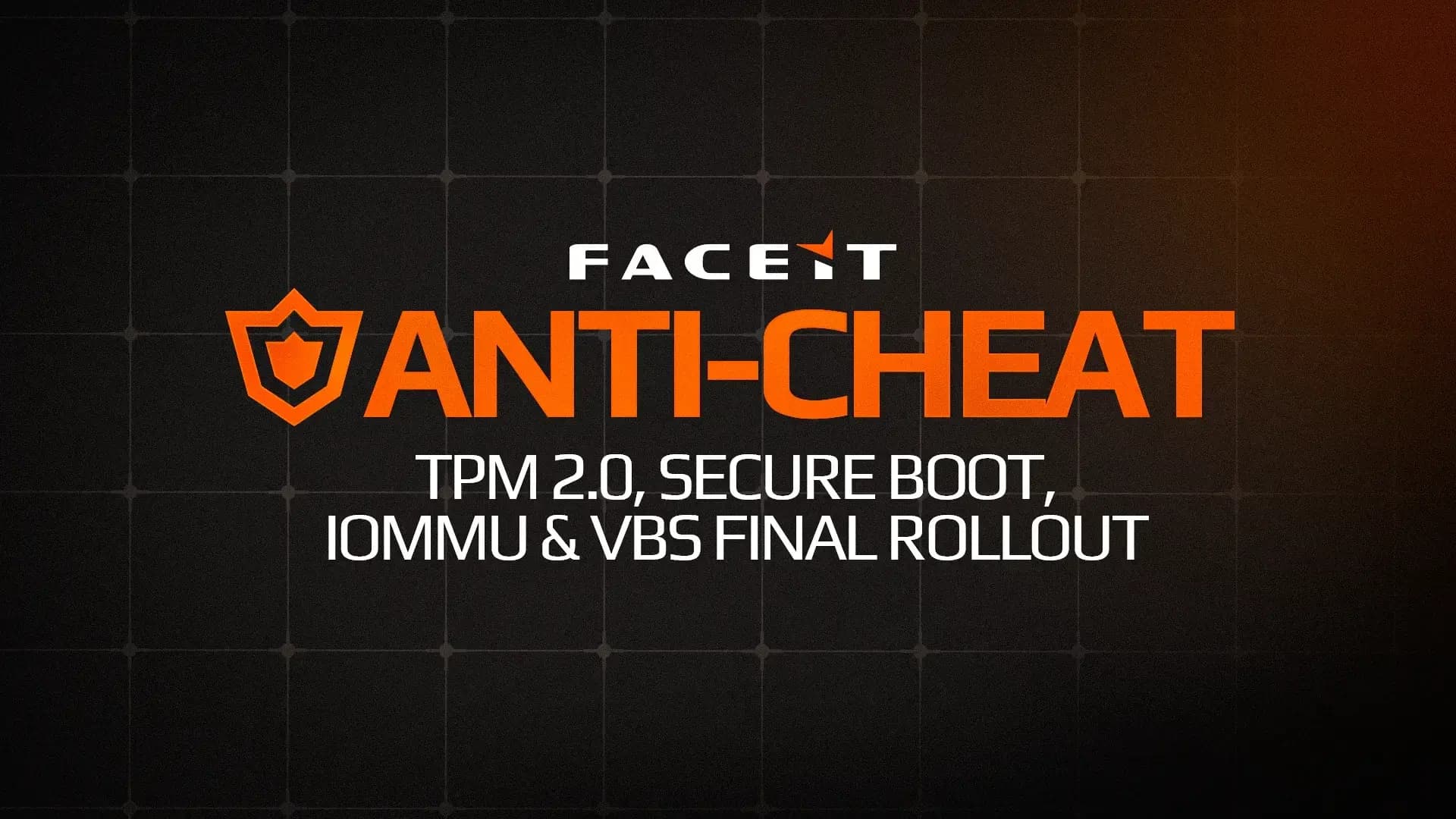
FACEIT will not lock Windows 10 players out on 14 October after all. In autumn 2025 the platform said Windows 11 would be mandatory from that date. On 5 October 2026 it reversed course in a post on X: Windows 10 gets one more year, until October 2027. There is one condition, and it is not optional. From 14 October the system has to run version 22H2 with Extended Security Updates (ESU) enabled. Anyone who skips that still won't get onto a server next week.
What FACEIT actually changed
The original plan comes from a FACEIT blog post of 23 October 2025 that laid out the final stage of its anti-cheat requirements. The Windows 10 line was blunt: from 14 October 2026 you need Windows 11 to play on FACEIT, so anyone on Windows 10 should upgrade before then. The reasoning was simple too. Microsoft was due to stop shipping security fixes on 13 October 2026, and an unpatched operating system is an open door for cheat developers.
That argument stopped working in June. On 25 June 2026 Microsoft added an editor's note to its Windows Experience blog saying the ESU program for personal devices was getting an extra year, with coverage through 12 October 2027. If Windows 10 with ESU keeps receiving patches, FACEIT no longer had a reason to drop it in October 2026. At the start of October the platform rewrote its Windows Security Requirements FAQ, and on 5 October it announced the change on the FACEIT CS2 account (the post has about 49,500 views so far).
There is a trap here for anyone searching the web. The old FACEIT blog post still says Windows 11 from 14 October, and so do most articles and guides written before the change. The current rules live in the FAQ and in the 5 October post. When two pages from the same company disagree, the newer one is the one that counts.
Who this affects
The Steam Hardware and Software Survey for September 2026 puts Windows 11 at 71.34 percent and 64-bit Windows 10 at 23.61 percent. That is roughly one Steam player in four. Not all of them play on FACEIT, but it is still a very large group of people who need to check something in their system within a week.
The players in the best shape already run Windows 10 22H2, install updates and are enrolled in ESU. For them nothing happens on 14 October. The worst off are those on older Windows 10 versions, on stripped "optimised" builds, or with Windows Update switched off. They will not get ESU until they are back on a normal, current system.
How to check your PC before 14 October
If your system is in decent shape this takes a few minutes. The requirements come from Microsoft's ESU page and from the FACEIT FAQ.
- Version. Press Win+R, type
winverand check that the window shows version 22H2 (builds numbered 19045). Older versions have to be updated through Windows Update first. - Edition. The consumer ESU program covers the Home, Pro, Pro Education and Workstations editions. PCs joined to a company domain, Microsoft Entra or a device management (MDM) system are excluded.
- Updates. Microsoft requires the latest updates and the ESU licensing preparation package (KB5126256). The easy route is to install everything Windows Update offers and restart.
- ESU enrollment. Go to Settings, then Update and Security, then Windows Update. If the PC qualifies, you will see a link to enroll in ESU. If you sign in with a local account, Windows will ask you to sign in with a Microsoft account that has administrator rights (child accounts do not qualify).
- Anti-cheat settings. Make sure TPM 2.0 and Secure Boot are enabled. FACEIT has required both from every player since 25 November 2025, so if you have played in recent months you most likely have them already.
Outside Europe, Microsoft offers three routes into ESU: backing up your settings to the cloud, redeeming 1,000 Microsoft Rewards points, or a one-time payment of 30 dollars (or the local equivalent). One licence covers up to 10 devices on the same account.
ESU in the EEA: a Microsoft account and 60 days
In the European Economic Area the rules are softer, with one catch. In September 2025, after complaints from European consumer groups, Microsoft dropped the cloud-sync requirement in the EEA. Instead its ESU FAQ (quoted at the time by Windows Central) said that if the Microsoft account is not used to sign in for 60 days, ESU updates stop and the device has to be re-enrolled by signing in with the same account. Microsoft's current page says more broadly that options in the EEA may differ from the rest of the world.
For a player in the EU the takeaway is practical. On free ESU, sign in to Windows with your Microsoft account regularly, not just once at enrollment. A PC that drops out of the program after two months stops getting patches, and ESU being enabled is exactly what FACEIT checks for. Before an important match, a look at Windows Update to confirm the enrollment is still active is a good habit.
TPM, Secure Boot and IOMMU stay
The delay covers the Windows version only. Everything else from October 2025 still applies. TPM 2.0 and Secure Boot have been mandatory for everyone since 25 November 2025. IOMMU and VBS, which block cheats that read memory through DMA cards, have been required for every player above 3,000 Elo since August 2025 and are reaching everyone else in waves. FACEIT says in the FAQ that in three months of limited rollout it banned more than 200 players for DMA cheats, including about 20 using devices priced around 4,500 dollars.
One sentence is easy to miss: some devices may have to upgrade sooner, depending on their configuration. FACEIT does not say which configurations. If the anti-cheat client reports missing security updates, the problem sits in the operating system rather than in your FACEIT account, and Windows Update or a move to Windows 11 fixes it. We covered the previous round of changes in our piece on the Season 9 ban policy, and if you are going into the BIOS anyway, read our article on the TPM flaw in AMD Ryzen CPUs.
If you stay on Windows 10, nothing changes in the browser. FACEIT extensions, including our own Spawnsy Faceit with levels 11 to 20 and team Elo in the matchroom, run in Chrome and Opera the same way on both systems.
Stay on Windows 10 or move now
A year of ESU is enough to play comfortably until October 2027, but it does not change the direction. In October 2027 FACEIT will require Windows 11, and Microsoft lists 12 October 2027 as the end of consumer ESU. If your PC meets the Windows 11 requirements (and you need TPM 2.0 and Secure Boot on for FACEIT anyway), there is little reason to leave the switch to the last minute. If you are worried about losing frames, our safe Windows 11 gaming optimisation guide covers the settings that matter.
PCs whose processor is not on the official Windows 11 list are a different story. For their owners the ESU year is time to plan a hardware upgrade calmly. Before 14 October all they need is 22H2 and an ESU enrollment.
In our view FACEIT made a sensible decision and a fair one for players. The 2025 justification rested on Windows 10 losing its security patches. Once Microsoft extended ESU that argument was gone, and locking out one Steam player in four just to keep an old deadline would have been hard to defend.
The communication is weaker. The old blog post still says Windows 11 from 14 October, the change appeared in an FAQ and a single post on X, and plenty of guides online still repeat the outdated date. Some players will rush to install Windows 11 when they don't have to, and some will ignore the whole thing thinking FACEIT backed down completely. Both groups could be surprised next week.
Our advice: if your hardware supports Windows 11, plan the switch for a quiet evening in the coming months instead of waiting for autumn 2027. If you are staying on Windows 10, check 22H2 and your ESU enrollment this week, and in the EEA remember to sign in with your Microsoft account regularly. We will come back to this in a year, when FACEIT starts enforcing Windows 11 for real.

Comments
Discussion
Join the conversation around this story.
Join the discussion
Sign in to comment and reply to other readers.
Sign inNo comments yet
Start the discussion first.